
If you already use Self-Audit in RiskProof, the new Manage rounds tab gives you more control over when and how audit rounds are created.
- Create rounds when you need them: Create audit rounds directly in RiskProof.
- Take control of your audit programme: Manage rounds yourself, giving you greater flexibility and ownership.
- Reduce administration: Cut down on back-and-forth requests, making the audit round process quicker and simpler.
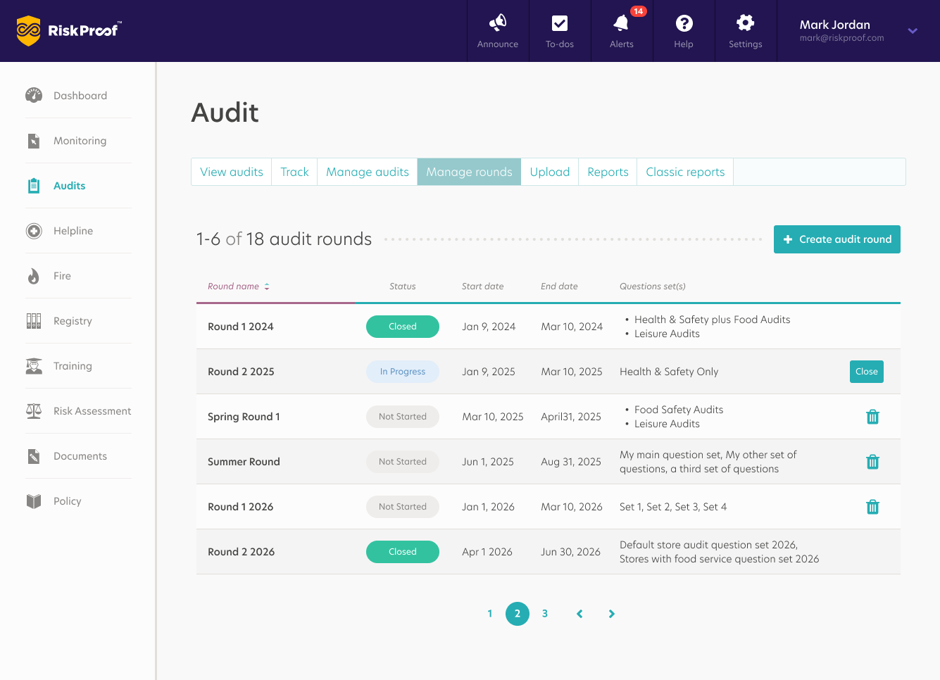 How do I create a new Self-audit round?
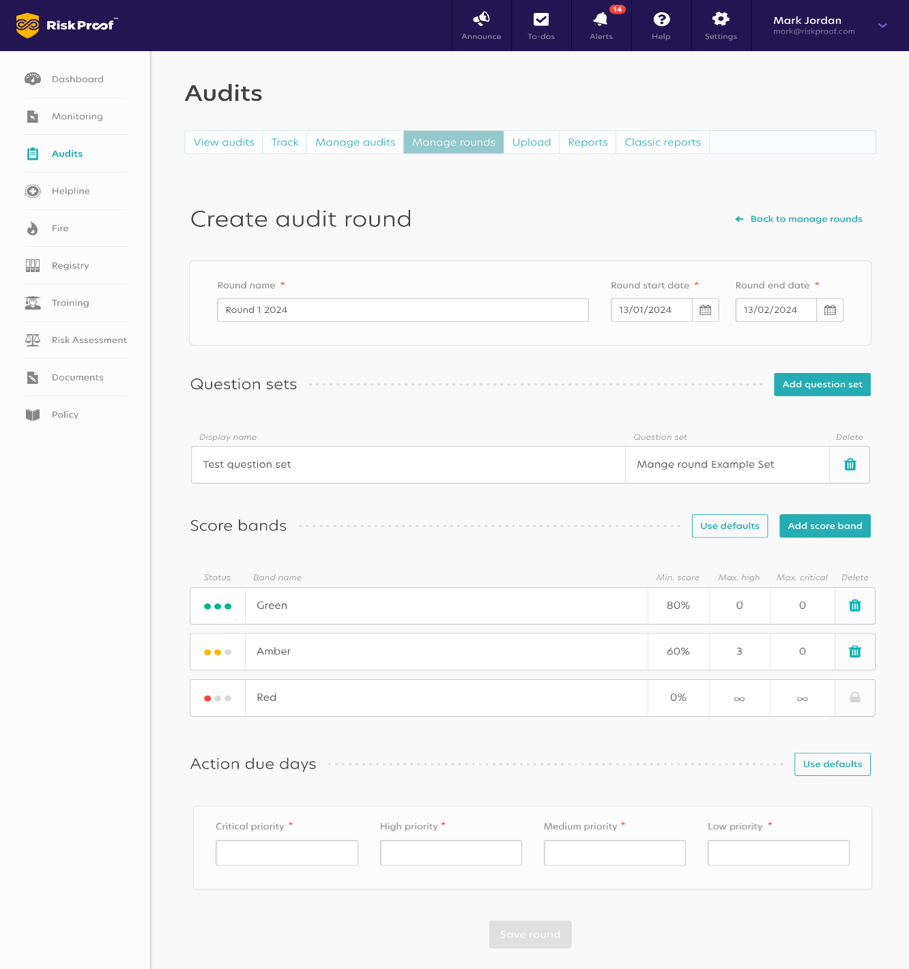
Once your Question set (audit set) has been uploaded by the Shield Safety Audit team, follow the steps below;
- Open the Manage rounds tab.
- Select Create audit round.
- Enter the round name.
- Select the start and end dates for the round.
- Add the question set or question sets that should be used for the round.
- Apply the default score bands or add your own score bands.
- Enter the action due days for each priority.
- Select Save round to create the round.
The Save round button becomes available once all mandatory fields have been completed.
 What is a Question set (audit set)?
This is the structure, content, and scoring logic for any given assessment. It serves as the blueprint for what an auditor or site manager evaluates during a visit.
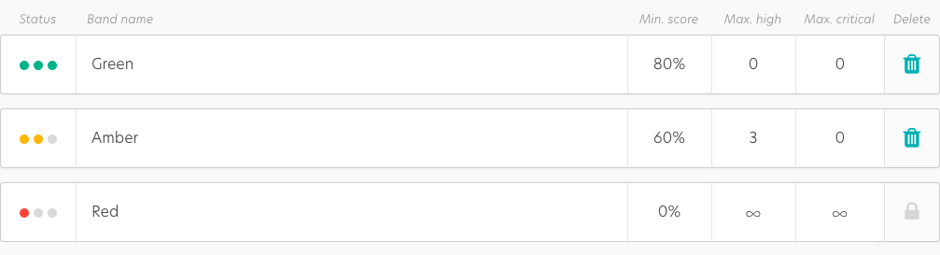
What are scorebands for?
scorebands are performance categories used to classify audit results based on the percentage score achieved and the severity of non-conformances found. Scorebands typically follow a RAG (Red, Amber, Green) status model, though they can be customized for specific audit rounds
 What are Action due days?
Action Due Days refers to the number of days set during audit round creation allocated to complete the resolution of a non-conformance (action) identified during an audit.
 What do the Self-Audit round status’ mean?
-
Not started - No audits within the round have been started
-
In Progress -One or more Audits within the round are active
-
Closed -All Audits within the round are now completed -the round have completed
A round can be closed once all audits within that round have been completed. When this option is available, select Close beside the round from the Manage rounds list.
How do I delete a Self-Audit Round?A round can only be deleted if no audits have been started against it. If audits have already started, the delete option will not be available.
How do I add Audits(s) to a round?Once a self-Audit round has been created, you can then proceed adding audits to the round by following the process on article ‘How do I create an audit?’
Important informationQuestion set uploads will continue to be managed by the Shield Safety Audit team. Once your question set has been uploaded, you can create and manage Self-Audit rounds using the Manage rounds tab.