
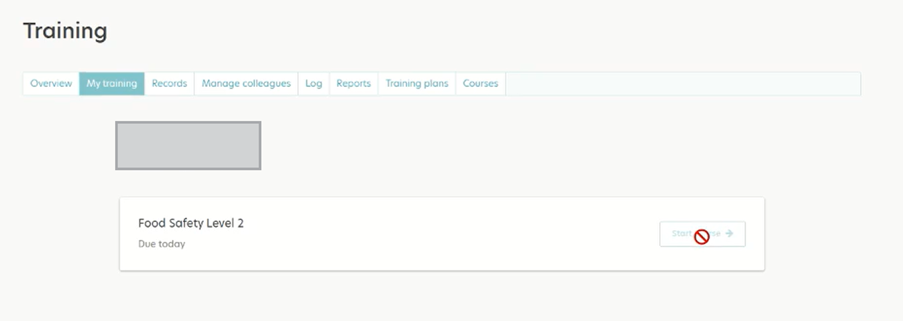
If a Colleague reports that they are unable to launch an eLearning training course, check to see if the “Start Course” button is active or not. If it is not active, then a blocked sign will appear when they try to start the course.
This means it is probably a CPL course rather than a RiskProof eLearning course.
You can verify this by accessing the “eLearning Licence Consumption by Colleague” report and searching for the impacted Colleague/ course.
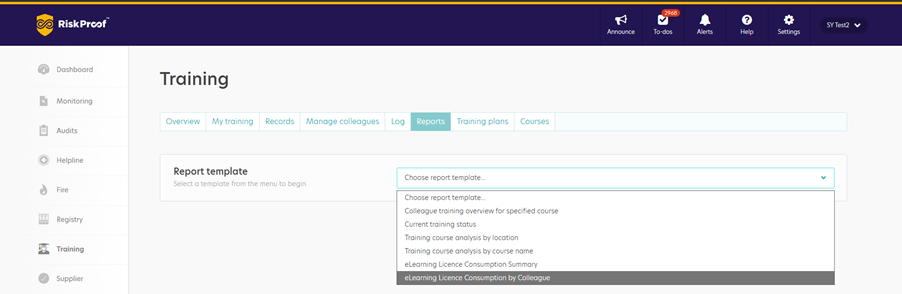
If the course was allocated to the Colleague prior to 1st June 2026, then the course is a CPL course.
The Colleague can access the course by navigating to the CPL log in page here: https://account.cplonline.co.uk/ and entering their CPL login details.
If the Colleague does not know their login details for CPL, then they should reach out to Customer Services for support at customerservices@shieldsafety.co.uk.